

Empower Your Business with Best Microsoft 365 Resellers in Bangalore
Experience enterprise-grade service with the Best Microsoft 365 Resellers in Bangalore. From licensing to deployment, we deliver end-to-end solutions that enhance productivity, data security, and collaboration across your organization.
Why Choose the Best Microsoft 365 Resellers in Bangalore?
With the Best Microsoft 365 Resellers in Bangalore, your business gets expert support, genuine licenses, and tailored solutions for seamless migration and setup. Stay ahead in the digital workspace with partners who understand your unique needs.



OFFICE 365 FROM ECHOPX MAKES YOUR BUSINESS PRODUCTIVE
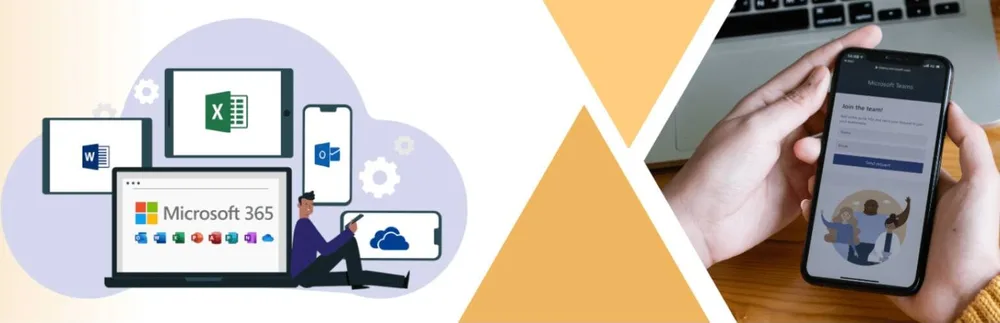
Office 365 is always ready for you. Office whenever and wherever you need it. All of the most popular desktop apps, like Word, Excel, and PowerPoint, as well as a lot of web-based tools for communication and teamwork, like Skype for Business, Yammer, and OneDrive. Afraid that the jumbled mess in your workplace may consume all of your precious storage space?Echopx can assist you with the Microsoft Office 365 Plan for Business, which is cost-effective while still being functional in your business environment. Everything you need to integrate your organization’s daily activities is included in this bundle. With this communication package, you’ll have access to all of the features you’ll need as a company owner. Everything you need to run your company is included.
APPS WITH NEW FEATURES
Get the latest premium versions of Word, Excel, PowerPoint, OneNote, Outlook, Access, and Publisher with access to new features right away.
1 TB CLOUD STORAGE
Get 1 TB (1024 GB) of OneDrive cloud storage to store, edit, and share documents, photos, and other files from anywhere, on any device.
APPS FOR MOBILE DEVICES THAT ARE OPTIMIZED
View, edit and create documents with advanced formatting and co-authoring features optimised for mobile phones and tablets.
WORKS ACROSS MULTIPLE DEVICES
Set up the Office apps on multiple PCs, Macs, tablets, and phones (including Windows, iOS and Android).
STAY CONNECTED WITH SKYPE
You can keep in touch with friends and family all around the globe with 60 minutes of Skype calls to mobile phones and landlines every month.
MICROSOFT SUPPORT
As an Office 365 subscriber, you can get help right away from Microsoft-trained experts by phone or chat at no extra cost.
Our Services

Our Services
Comprehensive digital solutions to accelerate your business transformation
Website Design & Development
Professional website design and development services for modern, responsive, and user-friendly digital experiences that drive results.

Digital Marketing
Complete digital marketing solutions to boost your online presence, drive targeted traffic, and maximize ROI across all channels.

Ecommerce Solutions
Complete ecommerce development solutions to launch and scale your online store with seamless user experience.

Brand Consultancy
Strategic brand development and creative design services to build a strong, memorable brand identity.

Custom Applications
Tailored software solutions including mobile apps, ERP, CRM, and enterprise applications built for your business needs.

Cyber Security & Email Solutions
Comprehensive security solutions and professional email services to protect and empower your business communications.

Annual Maintenance Contract
Comprehensive maintenance and support services covering all our solutions with proactive monitoring and timely updates.

Microsoft 365 Packages
➤ Empower Your Business with Best Microsoft 365 Resellers in Bangalore
Transform your workplace with the Best Microsoft 365 Resellers in Bangalore — your trusted cloud partners for licensing, deployment, and ongoing support.
Whether you’re a growing startup or an established enterprise, we help you implement Microsoft 365 solutions that drive productivity, enhance security, and streamline communication across teams.
As certified Microsoft partners, we provide complete cloud transformation services, including license procurement, setup, migration, and user training.
With our expert Microsoft 365 Resellers in Bangalore, you gain a partner committed to helping your business leverage the full potential of Microsoft 365 — from Outlook and Teams to SharePoint and OneDrive.
Our mission is simple: to make your Microsoft 365 experience seamless, scalable, and cost-effective.
➤ The Best Microsoft 365 Resellers in Bangalore:
✅ Confusing Licensing Options
✅ Improper Setup & Configuration
✅ Lack of Ongoing Support
✅ Security Vulnerabilities
✅ Limited Training for Users
🌠 The Solution: Work with Certified Microsoft 365 Resellers in Bangalore
When you partner with the Best Microsoft 365 Resellers in Bangalore, you’re choosing reliability, transparency, and long-term value. Our certified team ensures you get genuine Microsoft licenses at competitive prices — backed by professional support and end-to-end service.
We handle every stage of your Microsoft 365 journey, from consultation and purchase to integration and optimization.
Our End-to-End Microsoft 365 Services Include:
- License Procurement & Renewal: Access genuine Microsoft 365 licenses for Business, Enterprise, and Education plans at the best prices.
- Deployment & Migration: Smooth setup with zero downtime, including email, files, and app migration.
- Security & Compliance Setup: Protect your data with MFA, DLP, and advanced security configurations.
- Integration & Customization: Tailored configurations for Teams, SharePoint, and Outlook to fit your workflow.
- User Training & Support: Comprehensive onboarding to help your staff master Microsoft 365 tools.
Our certified Microsoft 365 Resellers in Bangalore don’t just sell software — we build partnerships that empower businesses to succeed in a digital-first world.
➤ Key Features & Benefits of Working with the Best Microsoft 365 Resellers in Bangalore
Partnering with a certified Microsoft reseller in Bangalore gives your business access to premium features, strategic insights, and dedicated technical support.
1. Genuine Licensing at Competitive Prices
We offer authentic Microsoft 365 licenses directly from Microsoft, ensuring you avoid counterfeit or unverified versions.
Benefits:
- Cost-efficient licensing for all business sizes
- Hassle-free renewals and upgrades
- Access to the latest Microsoft features
2. Seamless Deployment & Migration
Our team specializes in fast, secure migrations from on-premises systems or other cloud providers. We guarantee zero data loss and uninterrupted business continuity.
We Handle:
- Email and data migration
- Teams and SharePoint integration
- Custom domain setup
3. Enterprise-Grade Security
We deploy Microsoft 365’s advanced security tools to protect your organization against phishing, ransomware, and unauthorized access.
Key Security Features Include:
- Multi-factor authentication (MFA)
- Encryption and conditional access
- Data Loss Prevention (DLP)
- Threat detection and automated response
Our secure Microsoft 365 Resellers in Bangalore help you maintain compliance with GDPR, ISO 27001, and other global standards.
4. Personalized Setup & Configuration
Every organization is unique. We tailor Microsoft 365 to match your team’s structure, workflows, and communication needs.
Customization Options:
- Departmental Teams channels
- Role-based access permissions
- Automated approval workflows
- Power BI dashboard integrations
5. Local Support & Dedicated Account Managers
As Bangalore-based resellers, we provide quick, personalized support from a team that understands your local business environment.
What You Get:
- 24/7 technical assistance
- On-site support for complex issues
- A dedicated account manager for every client
6. Flexible & Scalable Solutions
Your business needs evolve — and so should your software. We offer scalable Microsoft 365 solutions that grow with you.
Our Promise:
- Add or remove users anytime
- Upgrade plans without downtime
- Get performance reports and usage analytics
With scalable Microsoft 365 Resellers in Bangalore, you’ll never outgrow your technology infrastructure.
➤ Why Businesses Across Bangalore Choose Us
From startups in Koramangala to enterprises in Electronic City, companies across Bangalore rely on our expertise as the Best Microsoft 365 Resellers in Bangalore. We’ve helped businesses of all sizes modernize their IT systems, cut costs, and improve collaboration.
Here’s Why Clients Trust Us:
- Certified Microsoft Partner status
- 500+ successful Microsoft 365 deployments
- Proven track record in cloud transformation
- Local presence with global delivery standards
- 9% uptime and SLA-backed services
We don’t just deliver licenses — we deliver measurable results that enhance productivity and profitability.
➤ The Business Impact of Partnering with Microsoft 365 Resellers in Bangalore
When you work with the trusted Microsoft 365 Resellers in Bangalore, your organization experiences a measurable improvement in operations, collaboration, and data management.
Real Results Our Clients Experience:
- +40% faster communication using Microsoft Teams
- Zero downtime during migration and setup
- Enhanced security compliance with DLP and encryption
- 30% cost savings through optimized licensing plans
➤ How It Works: Partnering with the Best Microsoft 365 Resellers in Bangalore
Working with the Best Microsoft 365 Resellers in Bangalore is a seamless, guided process from start to finish.
Step 1: Consultation & Business Assessment
Step 2: License Procurement & Activation
Step 3: Deployment & Migration
Step 4: Security Configuration & Compliance Setup
Step 5: Training & Adoption
Step 6: Continuous Support & Maintenance
➤ Why Businesses Trust the Best Microsoft 365 Resellers in Bangalore
Our clients choose us because we deliver more than just software — we deliver solutions that evolve with their business.
Here’s What Sets Us Apart:
- Certified Microsoft Partnership: Recognition from Microsoft as a trusted cloud solutions provider.
- Local Bangalore Presence: Fast response times and personalized service.
- End-to-End Expertise: From licensing to integration, we handle it all.
- Proven Track Record: 500+ successful deployments across India.
- Cost-Effective Packages: Tailored pricing that fits your business model.
➤ Call-to-Action: Partner with the Best Microsoft 365 Resellers in Bangalore Today
Ready to enhance productivity, security, and collaboration? Join hundreds of Bangalore businesses that have already transformed their operations with Microsoft 365.
As the Best Microsoft 365 Resellers in Bangalore, we offer unbeatable expertise, transparent pricing, and full-cycle support to help your business thrive in the digital era.
What You’ll Get:
✅ Genuine Microsoft 365 licenses
✅ Seamless migration with zero downtime
✅ Enterprise-level security and compliance setup
✅ Personalized user training
✅ Dedicated local support in Bangalore
Book your free consultation today!
Let our Microsoft-certified experts design a solution that aligns with your business goals.
Call now or schedule an online meeting to discover the most affordable and reliable Microsoft 365 solutions in Bangalore.
✴ Frequently Asked Questions (FAQ)
Q1: What makes you the Best Microsoft 365 Resellers in Bangalore?
A1: We are certified Microsoft partners offering genuine licenses, expert deployment, advanced security setup, and dedicated local support — ensuring end-to-end reliability.
Q2: Can I upgrade or change my Microsoft 365 plan later?
A2: Yes, you can easily upgrade, downgrade, or add users anytime. Our team manages your licensing to ensure smooth transitions without disruption.
Q3: How secure is Microsoft 365 for business use?
A3: Microsoft 365 includes multi-layered security with encryption, threat detection, and compliance management. We further enhance protection with DLP and MFA.
Q4: What industries do you serve?
A4: We work with companies across IT, finance, healthcare, education, manufacturing, and real estate — tailoring Microsoft 365 solutions for each sector’s needs.
Q5: How much do your services cost?
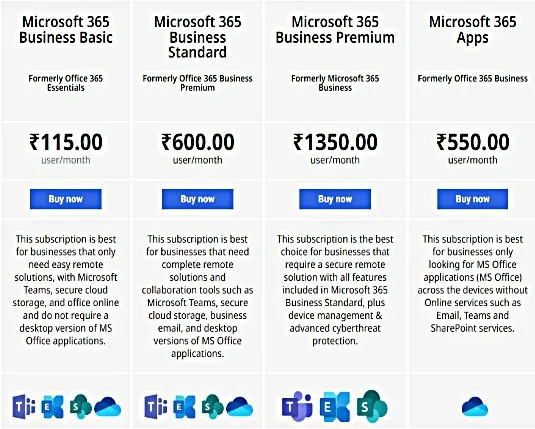
A5: Pricing depends on user count and selected plans. As affordable Microsoft 365 Resellers in Bangalore, we provide flexible options for small and large organizations alike.
Q6: Do you provide ongoing support after setup?
A6: Absolutely! Our dedicated support team offers 24/7 assistance, periodic system reviews, and proactive troubleshooting to ensure maximum uptime and efficiency.
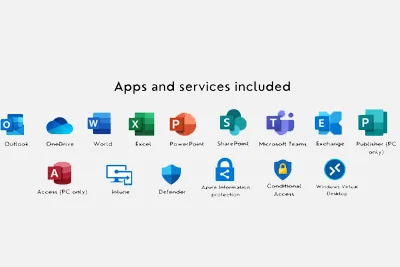
Our services for setting up Microsoft 365 include
- Setting up Microsoft 365 Domain
- Making new users and giving them licenses
- Exchange Online setup
- Microsoft Groups, Shared Mailboxes, and Distribution lists can be used to do this (up to 10)
- On SharePoint, create a site (1 Site per tenant without the customization)
- Get Microsoft Teams set up (Based on your requirements, such as external or internal meetings access control).
Our end-user configuration support includes:
- Setting up Microsoft Apps (formerly MS Office)
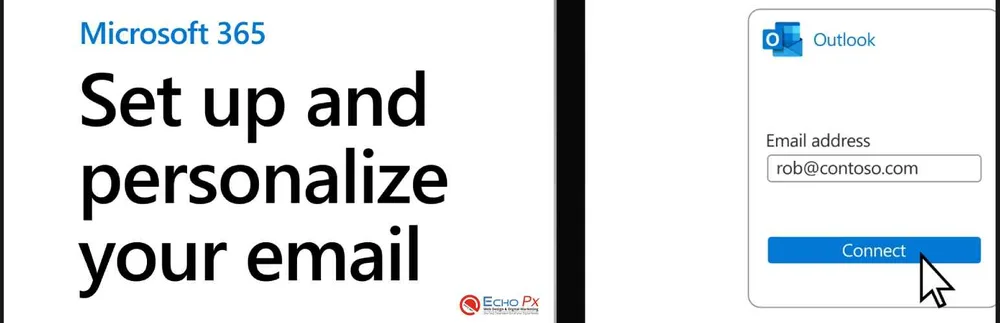
- Set up an email account in Outlook (on a desktop/laptop computer or a mobile device).
- Set up OneDrive on your PC, laptop, or mobile device and use it to store and share files.
- Set up Microsoft Teams on your desktop, laptop, and mobile devices.
- Set up the desktop versions of Word, PowerPoint, and Excel so that they can use the online services of Microsoft 365.
The following are the eight new tools for developers that are part of Microsoft 365.
- Added features to Microsoft Teams: Developers can make apps for the Teams platform that are specific to an organization.
- Teams and SharePoint are now more closely connected. For example,You may now pin SharePoint pages straight to Teams channels.
- Power BI visualization in Excel can now be used to translate and show custom Power BI visuals in Excel worksheets.
- Updates to the Fluent Design System: The Universal Windows Platform (UWP) XAML Islands with host controls for WinForms and the Windows Presentation Foundation have been added to the Fluent Design System (WPF).
- Stand-alone.NET environments: With.NET Core 3.0, developers will be able to make.NET apps that run on newer versions of the platform.
- Improved all-in-one containerization with MSIX: Developers will be able to package apps in containers and add managed security, enterprise management, and authenticated access to the Microsoft Store.
- Excel now has tools for machine learning: It has algorithms for Azure Machine Learning and custom JavaScript functions.
- Machines that learn by being taught: Developers can use the Windows Machine Learning platform to build and train machine learning models in the cloud. Then, these models could be used to improve performance on a local level.

Benefits of Microsoft 365
It's Important to be Safe
It's Important to be Safe
You can be sure that your security is top-notch when you use software from a tech giant like Microsoft. Since HIPAA and FISMA are followed to the letter, you can be sure that your information is being carefully protected. Your security is also fully customizable, which means that your IT staff can see, touch, and work with your nonprofit’s security in any way they need.
Email that is Hosted
Email that is Hosted
How annoying is it when things don’t go as planned? It drives you crazy, right? With the Microsoft Exchange Server, you don’t need in-house servers or virtual private networks (VPNs), which often break or are out of date.Anywhere you can connect to the Internet, you can get to your email, shared calendars, and the all-important address book.Also, each user starts out with 25GB of mailbox space and can send emails with up to 25MB of attachments.
Using Social Media
Using Social Media
Families may communicate on Facebook. Twitter allows individuals all over the globe to communicate with one another. Yammer allows employees in your firm to communicate with one another.The social networking app for organizations is included in all versions of Office 365. This makes it easy and quick to connect, work together, and share.
Apps for the web
Apps for the web
When you use Office 365, you no longer have to worry about “leaving that file on your work computer.” With the cloud, you can access your files from anywhere that has the Internet.
Easy to talk to
Easy to talk to
Microsoft’s Lync is one of the best messaging apps on the market.It’s easier to converse with others because of it. Lync has everything you need to talk, like instant messaging, voice calls, and HD video conferencing, so you can use it for any kind of communication..
Easy to Share
Easy to Share
With Office 365, even if your team is spread out across the country or the globe, your organization is immediately more connected and better equipped to deal with the distance.
MS OFFICE 365 FEATURES
It is accessible at any time and from any location.All of the communication tools you need are included in the package for free.
Professional capabilities including corporate email, Messenger, and social media marketing are all included in this package. ” giving you more power.
The system is incredibly simple to set up and manage, and it doesn’t need a lot of time or effort. Working in a group becomes more enjoyable and efficient as time goes on.
There are options for cloud storage that might take care of all your worries about managing data storage.
It’s easy to connect to other devices, which gives your work the mobility it needs
All of your data is safe because security is built in.
You can talk to other people at work by using Office apps.
Putting in links to saved files instead of sending coworkers the whole files.
Finding the right copy of a document. Using any device to work from anywhere.
Microsoft Office 365 suite
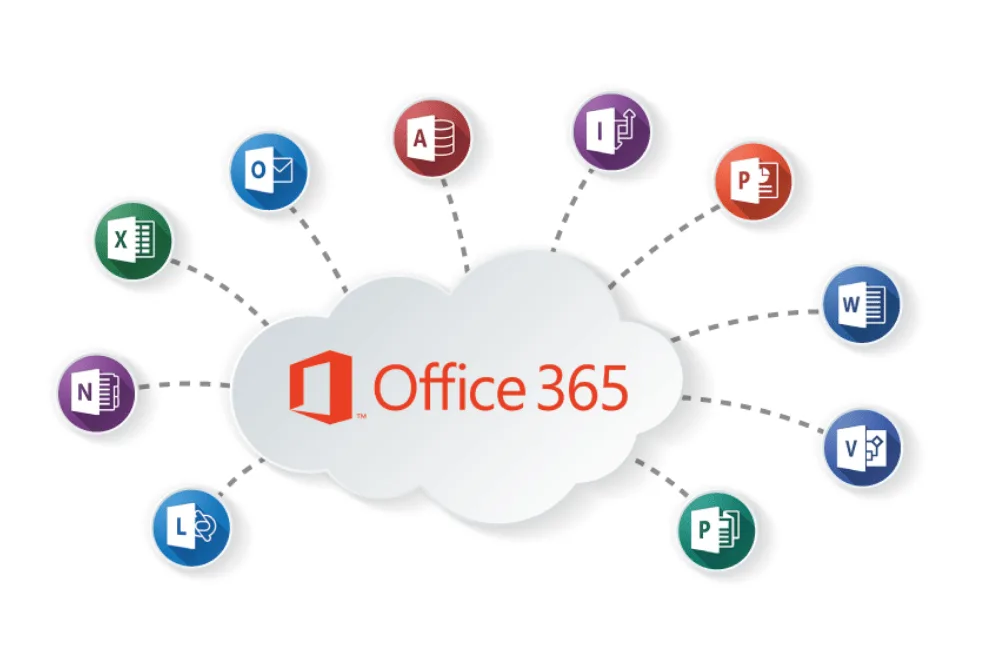
The Microsoft Office 365 suite is an online version of the traditional Microsoft Office software that you install on your computer. This online service requires a subscription and includes Office, Exchange Online, SharePoint Online, Lync Online, and Microsoft Office Web Apps. As a result of Microsoft’s cloud service management, the Office 365 suite is a valuable resource. This eliminates the need for a corporation to pay for infrastructure support or worry about IT maintenance duties like patching. For end users, this means that they may utilize Office 365 on any internet-connected device. IT administrators can set up new user accounts, control access to features, and check the status of all Office 365 services and tools through a web-based portal for the Microsoft Office 365 suite.

Microsoft Teams
Microsoft Teams is a communication platform for enterprises. It was developed by Microsoft as part of the Microsoft 365 product line. Slack, a similar service, is the primary competitor for teams. Both chat and videoconferencing, as well as file storage and application integration, are offered in the office by both services. Teams is replacing business messaging and collaboration platforms like Skype for Business and Microsoft Classroom that are run by Microsoft. During the COVID-19 pandemic, people were interested in Teams and other software like Zoom and Google Meet because many meetings moved online.
A Family of Microsoft 365
In Word, Excel, and PowerPoint, you can use smart help features and get access to hundreds of premium templates, photos, icons, and fonts. OneDrive lets you save files and photos and share them between devices. OneDrive and Outlook offer better security than before.

5 reasons to use Office 365
Microsoft Office 365 is a service you pay for by the month that makes Office 2016 even better. It’s made for business professionals and has new features, cloud options, and ways to communicate that can help both small and big businesses. If you’re still using Office 2016 or an earlier version, Office 365 might help your firm achieve new heights of productivity. Businesses all across the globe are now using Office 365. Here are five reasons why you should consider subscribing.
Platform Connected
When using Office 2016, each computer must have its own programme suite installed. This is because when you buy the software package from Microsoft, you only get one licence. It also doesn’t have as many features to help with networking. With Office 365, working on the same document with other employees, even if they are on the other side of the world, is easier than ever. The intra-organizational and communication technologies in Workplace 365 allow staff to collaborate even when they are not in the office. Office 365’s cloud sharing capabilities help your firm become more cohesive by bridging the distance between separate workstations.
Features of the Cloud
When you sign up for the service, you get 1TB of free storage in the cloud. No matter what plan you choose, this is always the case. With 1TB of storage, you can back up important files, share documents, and edit content anywhere you have an Internet connection. It also works with Microsoft programmes like PowerPoint and Word since it was designed to function with them. Office 365 may be installed on several computers, allowing many people to simultaneously view, edit, and contribute content to a file. This means you won’t have to wait for other workers to complete a file before you can access it.
Easy Sharing
Does your business depend on being able to share information? If so, this is easier than ever with the SharePoint Online platform. It not only lets you work with other people on existing content, but it also helps you do business with other companies better. So, you can show a client information and they can work with you on the material in real time, even if they are not in the same room. This means you don’t have to wait as long for approval and can get more done in a day.
There are also programmes called “Don’t Stack Up”
The truth is that if you want a full set of professional software, nothing else comes close. Businesses and software developers have tried to do it before, but they haven’t been able to.
Easy to get used to
One of the best things about Office 365 is that you already know how to use it. You don’t have to learn a brand-new platform. It has all the programmes you’ve been using for work since you started. This takes away any real need to learn. Aside from a few new features and the ability to use cloud services, SharePoint, and other add-ons, everything else feels pretty much the same.
As the owner of a business, you know what’s important to your company and how better productivity can help it grow. If Microsoft Office 365 can help you get things done faster and better, you owe it to yourself to use the software bundle and online services. With different plans, you can easily try out everything to see if it works for you and your business.
When do I need a Microsoft 365 subscription?
The free Office applications allow you to view, create, and edit files on your phone or tablet. However, you’ll need a valid Microsoft 365 membership if you want to:
- Your phone is bigger than 10.1 inches.
- You are making files, changing them, and saving them to online business storage services like:
-> Google Drive, Box, and other storage services for businesses
-> Business OneDrive
-> Dropbox for the Office.
Conclusion: Build a Future-Ready Workplace with the Best Microsoft 365 Resellers in Bangalore
The future of business is digital — and with Microsoft 365, your organization can thrive in a secure, scalable, and collaborative environment.
By choosing the Best Microsoft 365 Resellers in Bangalore, you gain a strategic partner who manages licensing, setup, and support with precision and care.
We help businesses harness the full potential of Microsoft 365 — empowering teams, protecting data, and driving growth.
Partner with certified Microsoft 365 experts today.
Simplify your IT, improve productivity, and unlock endless possibilities with the world’s leading cloud platform — right here in Bangalore.
We Work Worldwide.
Frequently Asked Questions.
Quick answers about our web design, development, digital marketing, and IT solutions.