
Building an ecommerce business in Bangalore involves more than a customer-facing storefront. Behind every product search, cart and order is a network of sales, inventory, purchasing, finance, approval and reporting processes that need to work together.
ERPLax is a cloud-only SaaS ERP platform built for centralized business management, configurable ERP workflows and integrated business processes — backed by 19+ years of experience, 1500+ clients and 1700+ projects.
Tell us about your ecommerce operations and we'll get back to you.
Disconnected processes create repetitive work and limit visibility — long before any technology decision is made.
Orders arrive through digital channels while inventory, purchasing and finance are managed separately, leaving teams reconciling information instead of acting on it.
Product availability, stock receipts, movements, sales and purchasing all affect inventory — without an organized process, a consistent stock view is hard to maintain.
Purchasing, discounts and expenses often need authorization. Informal approvals over messages or email make request status hard to track.
The same sales, purchase, product, inventory and financial information is often entered across different systems, increasing operational effort.
Reports built from disconnected data require manual consolidation before management can act on them.
As the business grows, employees and departments develop their own ways of handling similar activities, making processes harder to manage.
A cloud ERP platform designed to bring business processes together in one SaaS environment — not simply another application layered on top of existing ones.
Sales teams manage orders, procurement coordinates purchasing, warehouse teams handle stock movement, finance manages transactions, and management monitors performance — all within one operational platform organized around each team's responsibilities.
Every ecommerce business operates differently — a B2C retailer's approval structure differs from a B2B company's, and a distributor's purchasing needs differ from a direct-to-consumer brand's. ERPLax workflow configuration can address:
Sales approvals · Purchase approvals · Inventory processes · Finance workflows · Department-level responsibilities · Reporting requirements · Transaction processing · Internal business controls
An ecommerce app is only one part of the commerce environment. Internally, employees still work across sales, stock, purchasing, supplier coordination, invoicing, finance and reporting.
For Bangalore businesses in competitive ecommerce markets, this kind of centralized business management matters as product ranges, suppliers, orders, departments and financial transactions increase.
Each capability connects to the others rather than operating as an isolated tool.
Sales-related business transactions are organized within a centralized environment and connected with inventory and finance processes, reducing the need to manage sales data separately.
A structured environment for managing categories, descriptions, pricing and stock attributes, reducing fragmentation between product data and operational transactions.
Inventory activity connects with purchasing and sales processes so stock positions reflect actual business activity rather than a disconnected spreadsheet.
Purchase requests, approvals, purchase orders, receipts and financial processing are organized through defined workflows that connect procurement with inventory and finance.
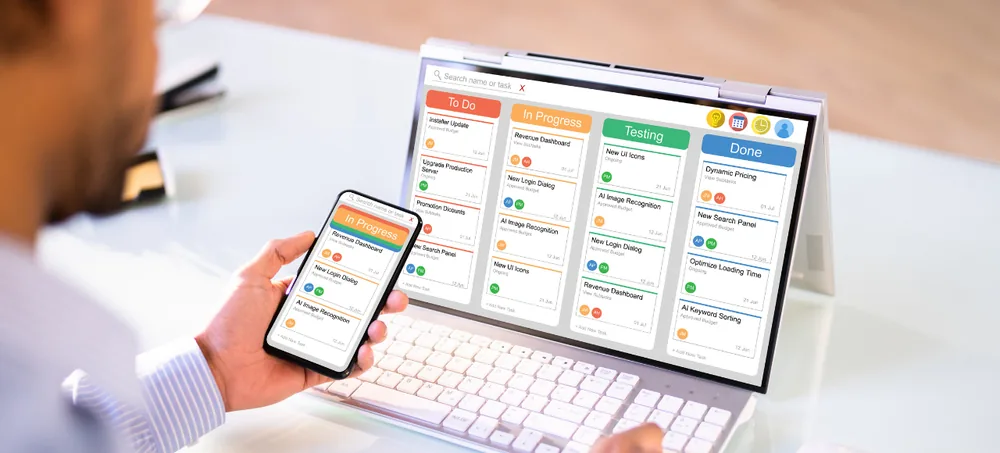
Structured approval stages for purchases, expenses and discounts reduce dependence on informal communication and create clearer process ownership.
Finance-related transactions generated by sales, purchases and expenses are connected with other ERP activities rather than tracked in isolation.
Sales, purchase, inventory and finance information is brought together for management review, reducing dependence on manually consolidated reports from disconnected systems.
The exact sequence can be configured to match the business model — additional approval stages for specific order values, or separate flows for B2B and B2C orders.
Customer transaction → sales record → stock verification → fulfillment → financial processing → reporting.
Inventory requirement → purchase request → approval → supplier transaction → goods receipt → inventory update → finance processing.
Product setup → opening stock → purchase receipt → stock movement → sales transaction → adjustment or return → inventory reporting.
Business transaction → transaction validation → financial entry → review → reporting.
Request creation → assigned approver → review → approval or rejection → next process.
EchoPx Technologies brings 19+ years of experience to business technology projects, relevant to understanding business processes and implementation considerations.
A broad history of business technology engagement provides a foundation for understanding different operational workflows and requirements.
Businesses access ERPLax as a subscription-based cloud service rather than an on-premise deployment — suited to organizations seeking cloud-based access to centralized processes.
Ecommerce organizations do not all operate the same way. ERPLax workflows can be aligned with each business's actual structure.
Sales, purchasing, inventory, finance, approvals and reporting are organized within one business management environment.
Operational requirements are identified first, and the ERP platform is configured to represent those processes — not the other way around.
Different ecommerce business models bring different operational requirements.
Coordinated product, sales, inventory and finance processes in one platform.
Internal operations coordinated behind the direct-to-consumer selling experience.
Structured sales, approval and customer-specific processes alongside inventory management.
Customer-specific pricing, approvals, purchasing and financial workflows.
Inventory and purchasing workflows for product variations and changing collections.
Structured product, sales, purchase and inventory processes in one environment.
Organized purchasing, inventory and sales for frequently moving products.
Online sales connected with procurement, inventory and finance processes.
An ecommerce environment rarely operates in isolation from payment systems, ecommerce platforms, shipping services, CRM and accounting tools. Mapping the information that needs to move between systems comes before implementation.
Product information, orders, customers, inventory, purchase information, financial transactions and business reports.
Defining the system of record for each information type reduces confusion across connected systems.
Businesses should define how updates are handled and which workflow should be triggered.
Not every integration needs to go live at once — prioritizing critical processes creates a more manageable implementation plan.
Price should not be the only consideration. Assess the complete operational requirement: business process fit, workflow flexibility, connected ecommerce operations, reporting, the SaaS model, customization, integrations and the implementation approach.
B2C, B2B, D2C, wholesale, marketplace or another ecommerce model.
Document sales, purchases, inventory, finance and approvals.
Find where manual data entry, disconnected systems or informal communication slow the business down.
Translate business processes into functional ERP requirements.
Define responsibilities, approvals, transaction stages and reporting requirements.
Identify systems that need to exchange information with the ERP platform.
Review product, customer, supplier and transaction information before go-live.
Configure the SaaS environment and implement required development per the agreed requirements.
Test sales, purchase, inventory, finance and approval workflows end to end.
Begin operational use and refine processes as business requirements evolve.
Published third-party discussions of Bangalore ecommerce app projects show that development pricing can vary significantly based on platform, functionality, design, scope and integrations; these estimates are contextual market information rather than a quote for an individual project. (ReapMind) For ERPLax, the appropriate subscription and implementation scope should be evaluated against the organization's own requirements.
Yes. ERPLax is a cloud-only SaaS ERP platform that can support ecommerce business operations such as sales, purchasing, inventory, finance, approvals and reporting through centralized business management.
ERPLax is an ERP platform rather than a customer-facing storefront. It supports internal business processes behind ecommerce operations, working alongside a customer-facing app as the operational ERP layer.
Yes. Sales processes can be configured to business requirements, with workflows connecting sales to inventory, finance and reporting.
Yes. Inventory workflows can be organized around relevant purchasing, sales and operational requirements within the ERP environment.
Yes. ERPLax supports configurable approval workflows structured around each organization's operational requirements.
Yes. Purchase requirements, approvals, purchase orders, receipts and related inventory or finance processing can all be organized through the platform.
Yes. ERPLax is a cloud-only SaaS ERP platform provided as a cloud service rather than an on-premise deployment.
Yes, within the SaaS platform. Customization should be evaluated based on the specific process, workflow, integration or reporting need.
Integration needs depend on the systems involved and the information to be exchanged. A proper integration assessment should be completed before implementation.
There is no single price for every business. Pricing depends on users, modules, workflows, customization, integrations, data and reporting requirements.
Timelines depend on the scope and complexity of requirements, including processes, users, integrations and data preparation.
ERPLax is built for centralized business management; suitability for a given growth path should be evaluated against the business's processes and plans.
Document sales, purchasing, inventory, finance, approval and reporting processes, and identify current systems, integration needs and user roles.
Yes. Existing businesses can evaluate ERPLax with an implementation approach that accounts for current systems, data, workflows and integrations.
Yes. ERPLax can be configured around B2B and D2C processes including sales, purchasing, approvals, inventory, finance and reporting.
It needs to represent interconnected sales, product, inventory, purchasing and financial processes — the key is how well it reflects actual workflows, not feature count.
Behind every customer transaction are operational processes involving products, orders, inventory, purchasing, approvals, finance and reporting. ERPLax provides a cloud-only SaaS ERP environment for centralized business management, with configurable workflows that organize integrated business processes around your requirements.
Ecommerce Features
E-commerce Services
Design, build & scale your ecommerce website — all in-house. Hover to explore, click to learn more.
Client Success Stories
Real experiences from businesses that trusted EchoPx to design and develop seamless online shopping experiences.
EchoPx redesigned our entire website and the results were immediate — 40% more leads in the first month. Truly exceptional work.
Their digital marketing team doubled our organic traffic in 3 months. SEO, social media, PPC — they handle everything professionally.
EchoPx built our custom CRM from scratch. It integrates with our Zoho setup perfectly and the team's productivity has gone up by 60%.
Our ecommerce store was launched in 4 weeks. The Shopify integration, payment gateway, and design — everything was flawless.
They set up our G Suite, email security, and AWS hosting in one go. Our business emails never go down anymore. Highly reliable team.
EchoPx has been our AMC partner for 3 years now. Website maintenance, security updates, backups — they handle it all seamlessly.
EchoPx redesigned our entire website and the results were immediate — 40% more leads in the first month. Truly exceptional work.
Their digital marketing team doubled our organic traffic in 3 months. SEO, social media, PPC — they handle everything professionally.
EchoPx built our custom CRM from scratch. It integrates with our Zoho setup perfectly and the team's productivity has gone up by 60%.
Our ecommerce store was launched in 4 weeks. The Shopify integration, payment gateway, and design — everything was flawless.
They set up our G Suite, email security, and AWS hosting in one go. Our business emails never go down anymore. Highly reliable team.
EchoPx has been our AMC partner for 3 years now. Website maintenance, security updates, backups — they handle it all seamlessly.